
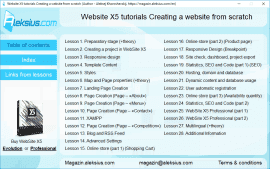
Lesson 1. Preparatory stage (+theory)
- What you need to do before creating the site.
- Recommendations for choosing a domain and hosting.
Lesson 2. Creating a project in WebSite X5
- Program settings.
- Ready templates and projects (quick start).
- Creating a new project and its basic settings.
- Content Language.
Lesson 3. Responsive design and create a template from scratch
- Resolutions and Responsive Design.
- Template Structure.
- Change Template.
- Custom Template Management.
Lesson 4. Template Content
- Header.
- Object Menu.
- Footer.
- Side Bar.
Lesson 5. Styles
- Text, Field and Button Styles. Google Font and Web Font.
- Tooltip on mouse over.
- Pop-up window Showbox.
- Sticky Bar.
Lesson 6. Map and Page properties (+theory)
- Page creating.
- Page properties (tags: title, description, keywords).
- Expert.
Lesson 7. Landing Page Creation (Page – «Home»)
- Adding objects.
- Object management.
- Grid page layout.
- Object Text.
- Object Image (Image Editor, Sitemap).
- Row Formats.
- Parallax effects.
Lesson 8. Page Creation (Page – «About»)
- Grid page layout.
- Object Text.
- Object Image (Link, Action). Creating a file download «button».
- Row Formats.
- Parallax effects.
Lesson 9. Page Creation (Page – «Menu») (+theory)
- Image preparation guidelines.
- Object Table.
- Object Galler
Lesson 10. Page Creation (Page – «Contact»)
- Object Contact Form.
- Data Management. E-mail.
- E-mail layout.
- Object Text. Insert image into text.
- Object Google Maps.
- Object Image (Link, Action). Creating a file download «button».
- Row Formats.
- Parallax effects.
Lesson 11. XAMPP
- Install and configure a local server XAMPP.
- Export the WebSite to disk (on local server).
- Object Contact Form.
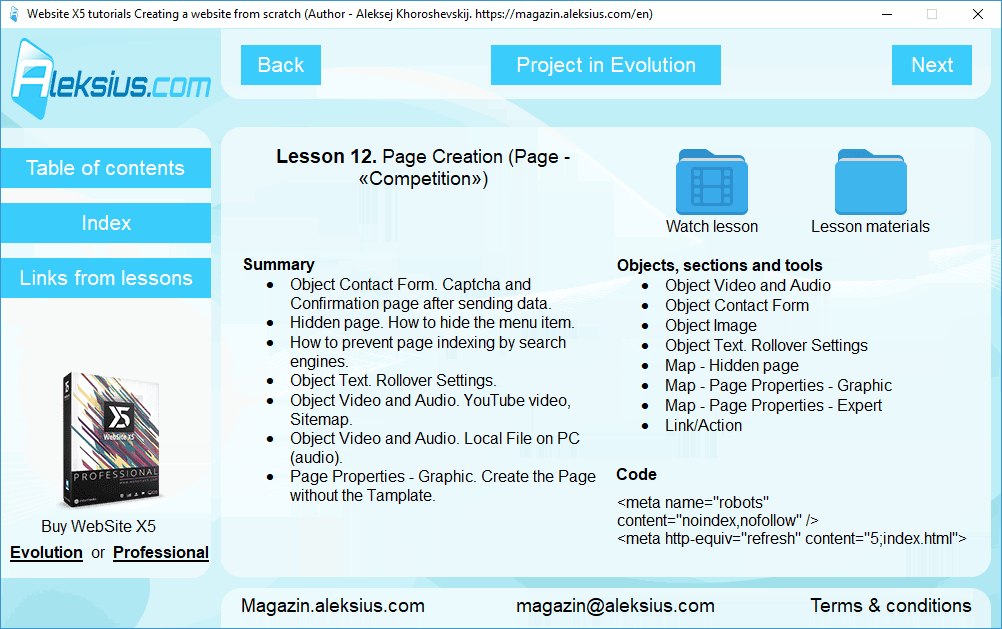
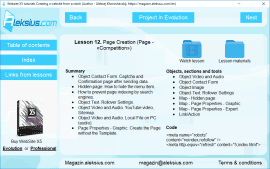
Lesson 12. Page Creation (Page – «Competition»)
- Object Contact Form. Captcha and Confirmation page after sending data.
- Hidden page. How to hide the menu item.
- How to prevent page indexing by search engines.
- Object Text. Rollover Settings.
- Object Video and Audio. YouTube video, Sitemap.
- Object Video and Audio. Local File on PC (audio).
- Page Properties – Graphic. Create the Page without the Tamplate.
Lesson 13. Blog and RSS Feed
Lesson 14. Advanced Settings
- Advertising Massage.
- Locked page. Create a page that is available only to registered users.
- «Manual» user registration.
- Object Menu. Level Menu.
Lesson 15. Online store (part 1) (Shopping Cart)
- Product сreation: General, Image, Options, Discount.
- Order Management: Shipping, Payment.
- Price change depending on shipping and payment methods.
- Price change depending on product weight.
- Customer Details (Order Form).
- Sending order (Notification email).
- Options: Currency Settings, VAT settings, Products Table Graphic settings.
- Object Product Catalog.
- Ordering Process.
Lesson 16. Online store (part 2) (Product page)
- Import and export products (CSV).
- Creating a product page with gallery and commentaries.
- Object Comments and Ratings.
- Object Cart Status. Placing cart in header with products amount calculation.
- Object Search Field (site search).
Lesson 17. Responsive Design (Breakpoint)
- Resolutions and Responsive Design.
- Template Structure.
- Header.
- Object Menu. Hamburger Menu.
- Footer.
- Sticky Bar.
- Customize pages. Tool Responsive (Display Order, Show/Hide).
- Mozilla Firefox DevTools. Adding custom CSS code (Page Properties – Expert).
Lesson 18. Site check, dashboard, project export from WebSite X5 Evolution to WebSite X5 Professional
- Customize pages. Tool Responsive (Display Order, Show/Hide).
- Privacy and Security. Cookies message and privacy policy.
- Dashboard (control panel).
- Project export from WebSite X5 Evolution to WebSite X5 Professional (IWZIP).
- Project folders in WebSite X5 Professional.
Lesson 19. Statistics, SEO and Code (part 1) (SEO)
- SiteMap.
- Robots.txt.
- Tag «Title».
- H1-H6 tags.
- Blog SEO (tags: title, description, keywords).
- Create Google AMP pages including the Blog contents.
- Page 404 (.htaccess file).
- Analyse and Optimize the WebSite (Project Analysis).
Lesson 20. Hosting, domain and database
- Hosting and domain registration.
- Database creation.
- Upload the WebSite to Internet.
- Setting up mail on hosting.
- Change of permissions on folders and files on hosting.
- Creating a folder on the hosting (server) using WebSite X5 tools.
- Data Management (database).
Lesson 21. Dynamic content and other database usage
- Object Dynamic content. Editing content directly on the site.
- Using the database for: blog comments, comments on the site, online store orders, data from forms.
Lesson 22. User automatic registration
- Access Management.
- Testing automatic user registration.
- Object Login & Logout. Adding «Logout» button for registered users.
- Synchronize the list of automatically registered users with WebSite X5 Professional.
Lesson 23. Online store (part 3) (Availability quantity)
- Sub-options.
- Digital product.
- Coupon code.
- Purchasing Process Styling.
- Purchase Mode.
- Object Product Catalog. Ribbon Type.
- Synchronization products availability data between the database and WebSite X5 Professional.
- Order management in site control panel. Dashboard – Shopping Cart.
Lesson 24. Statistics, SEO and Code (part 2) (Statistics)
- Connect to Google Analytics and Google Search Console.
- Privacy and Security. Anti-spam protection – reCAPTCHA.
Lesson 25. WebSite X5 Professional additional features (part 1)
- Objects Text and Table. Tabs.
- Under Construction page.
- Object HTML Code.
- Object Style. Library.
- Anchor.
Lesson 26. WebSite X5 Professional additional features (part 2)
- Mobile news reader app.
- WebSite X5 Manager. Dashboard app.
- Control Panel. Logo and Theme Color.
- Customize pages. Tool Responsive (Line breaks).
- Dashboard – Website Test. E-mail test.
- Built-in browser additional options.
Lesson 27. Multilingual (+theory)
- Features and recommendations for translating the site into another language.
- Entry page.
- Website translation into another language and creation of a multilingual version.
Lesson 28. Additional Information
- Display the manu level.
- Expand the object. The object is full width of the browser window.
- Background video.
- Google map as background.